

Queen’s Domain gives you plenty to figure out, and I spent hours dying while I did. Learning to charge attacks, finding a throwing weapon, and spotting pickups I’d walked past made it easier to progress. These Queen’s Domain tips bring together what helped me and advice from fellow LOGNET writer Jacob McBride. If you’re struggling with the opening, here’s what I wish I’d known sooner.
Queen’s Domain Tips for Combat
The yellow power meter drains when you run or attack and recovers between attacks. Swinging again before it refills means a weaker hit. Give yourself room to recover instead of repeatedly pressing the attack button.
Holding the primary attack button builds a blue charge over the yellow gauge for a stronger attack. Jacob suggested charging while waiting for the power meter to recover, provided you have enough space. Once I started doing that, an enemy that had taken me six to eight hits went down in about four.
Ease off the sprint before reaching an enemy, too. Otherwise, you can arrive within striking distance with little power available for your first hit.
Saving in Queen’s Domain
Returning to save after finding an item, gaining a level, or improving a weapon was how I managed to hold on to progress. It meant backtracking, but dying before saving meant doing that work again. Jacob gave me the same warning. There’s no autosave, so manually save at a Crystal Monument when you have something you want to keep.
Saving and resting are separate choices. Resting restores your health and cures status ailments, but also respawns most enemies. If you have enough health to continue searching an area you’ve cleared, consider saving and carrying on.
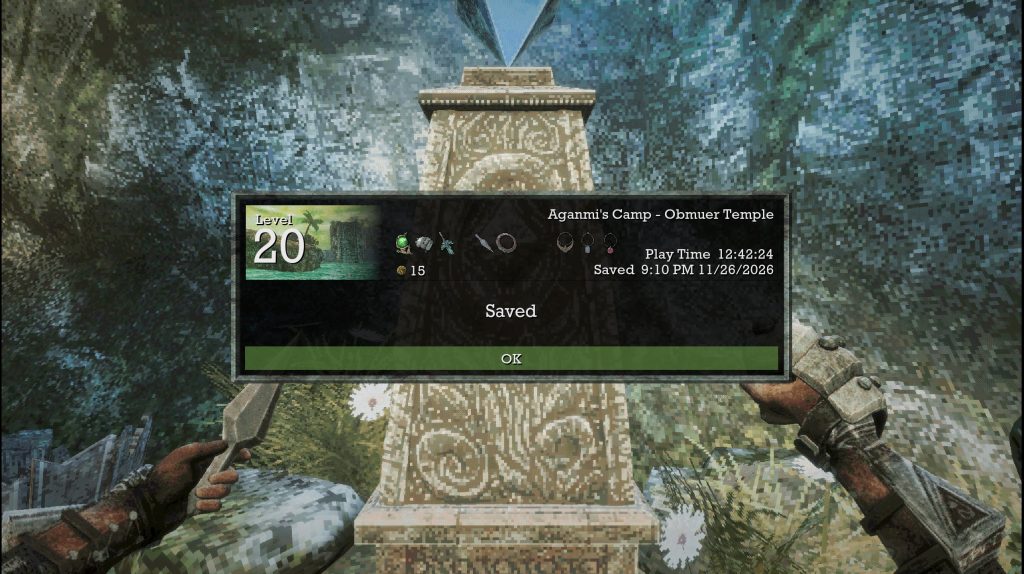
There’s also a consumable that returns you to your last save point. If you’ve made progress and things are going badly, using one can spare you a frustrating loss. Save again once you return.
Watch Your Reticle
The pixelated scenery in Queen’s Domain can make dried herbs and other pickups difficult to spot. I walked past things repeatedly before I started recognizing them.
Keep an eye on the reticle as you look around. It changes from a thin outline to bold when you aim at something you can interact with. Watching for that change helped me notice objects that otherwise blended into the environment. You can assign dried herbs to a quick slot for easier access to health boosts.
Find a Throwing Weapon Early
Finding darts made some of the opening encounters much more manageable. There are wall-mounted flowers that open an eye and fire a sustained laser. Before I had a throwing weapon, I had to draw nearby enemies out of their line of sight just to fight them. With darts, I could deal with the eye first and then concentrate on the enemies on the ground.
Throwing weapons return after a delay and can be used again. Collecting more of the same type lets you throw more in succession before waiting for them to return.
Try the Torch on Boxes and Barrels
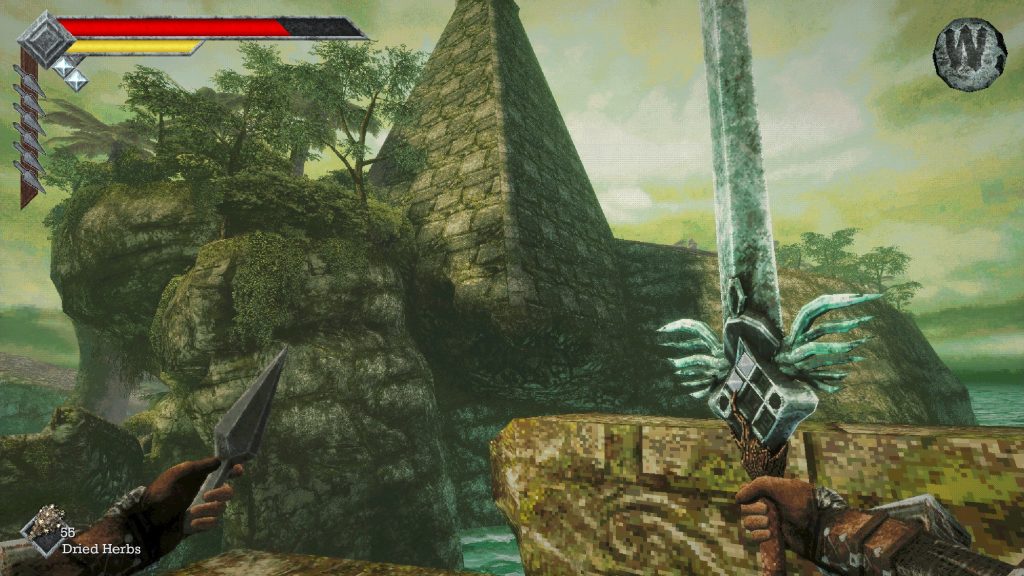
I assumed some boxes and barrels were scenery until I started hitting them with a torch. Some took several hits before breaking. If the first swing doesn’t work, try again. Once I figured this out, I started checking objects I’d already walked past.
Exploring Queen’s Domain
Getting the air dash made me reconsider familiar areas. I started looking up and thinking, “Wait, can I get over there?”
Jacob’s exploration advice reinforced that habit. Inspect ledges, ceilings, and the spaces around or beneath bridges, stairs, and cliffs. A place you can’t reach yet may become accessible with another ability, a different piece of equipment, or an approach from elsewhere.
Some distant interactions also respond to thrown weapons or torch fireballs, so inspect what’s there even if you can’t stand next to it. The compass in the top right helps you keep your bearings. It changes as you turn, showing which direction you’re facing.
More Queen’s Domain Tips From Jacob McBride
These additional recommendations come from Jacob’s time exploring the island.
Check Walls and Environmental Clues
Try interacting with flat wall surfaces. Some hidden doors have very little visual indication. When there is a clue, investigate it. A skeleton pointing in a particular direction is one example worth following up. Look at what it’s directing your attention toward.
Consider How a Weapon Moves You
Enemy weaknesses matter, but also pay attention to a weapon’s secondary attack. Some attacks move your character, which can help you avoid an enemy’s response. A weapon that hits harder may be less useful in a particular encounter than one that lets you attack and get out of danger.
Watch when an enemy begins its attacks and learn the distance at which it commits. That can help you create an opening you know how to respond to.
Listen Before Turning a Corner
Learn the sounds different enemies make. They can warn you about something ahead or approaching from behind. Lowering the music can help when an enemy is quiet, or you’re low on health and supplies.
Compare Your Stats When Equipping Accessories
Item descriptions may give you only a general idea of an accessory’s effect. Check your stats before equipping it, then check again afterward. Look for changes to health, attack power, or resistances so you know what you’re getting.
Read the Guide in the Menu
Take a look through the Guide early, and check back as more entries unlock. It can explain systems you might otherwise spend a long time trying to work out while enemies are killing you.
Keep Experimenting
Charging attacks, finding darts, and checking objects with the torch helped me get through areas that had repeatedly stopped me. New abilities also gave me reasons to look again at places I thought I already knew.
My companion impressions article, Queen’s Domain: Learning the Hard Way, covers how that experience felt over approximately 41hours. These Queen’s Domain tips are the things I wish I’d understood sooner. You can try the opening through the free Steam demo.
This article combines my firsthand experience with tips contributed by LOGNET writer Jacob McBride. I played a Steam copy provided via a press code, including on Steam Deck.
