
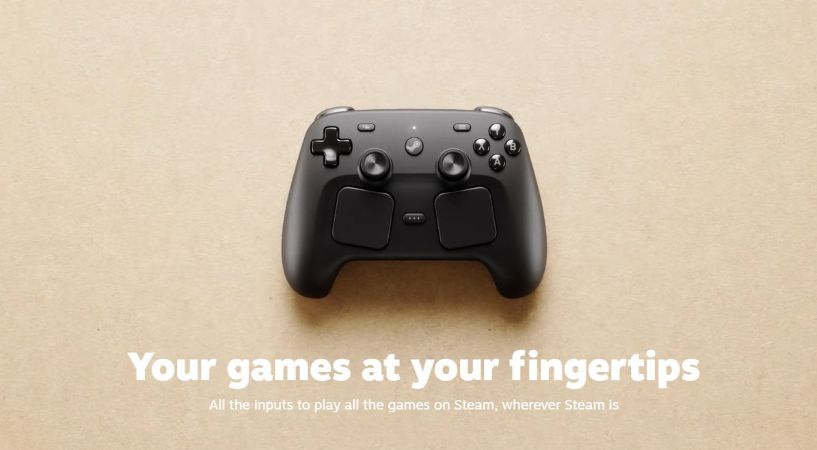
When it comes to PC gaming and the hardware market surrounding it, it’s very open and lets every type of player enjoy their setup with whatever they’d like to use. For everyone using a Razer mouse and keyboard, there are people using a Logitech combo or people using Xbox, PlayStation, or Nintendo controllers to customize their gaming experience with their PC. For me? As someone who grew up with a mouse and keyboard, I love using controllers more for modern video games. This is where Valve’s new Steam Controller comes into play.
The Steam Controller offers the best of three worlds when it comes to the average gamer, at a modest price. Back in May, Valve released this controller to the public, and the online crowd has been loving it. I, of course, wasn’t able to buy it until recently due to the long wait with their queue system. But after getting my hands on it (literally), I was able to finally see what the buzz was about and stumbled upon my new favorite controller for gaming on my PC.
So Close to Plug and Play
The Steam Controller comes with very simple cardboard packaging. Inside the packaging is a very easy-to-follow guide on how to hook up and play the controller. Obviously, it needed some time to charge and update through the included charging puck and USB-A to C cord. The thing that makes the Steam Controller unique is that, while it does have a Bluetooth mode you can enable, it pairs seamlessly with the puck and acts as its own dongle.
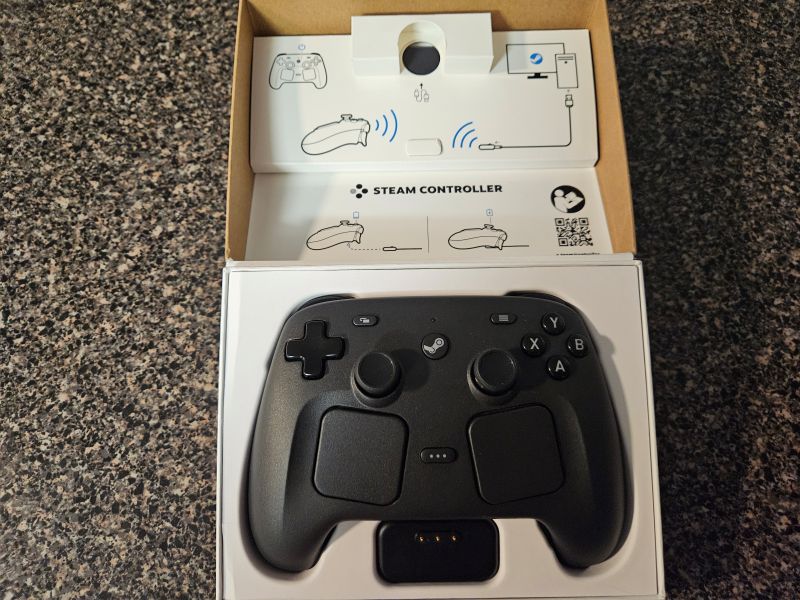
While this sounds “standard”, there’s a use case for this I never saw coming. When I built my rig in 2019, it was built on a very tight budget; I’m talking sub-400 dollars because I was making very little from my job at the time (but upgraded the CPU and GPU over time). Because of this, I had to forego a motherboard that had Bluetooth or wifi receivers included. With the puck of the Steam Controller, I can finally stop using wired controllers and just use this one wirelessly for the first time using my PC in 7 years. The puck acts as a receiver for the controller and can also be easily used with a similar setup for the Steam Deck with its dock.
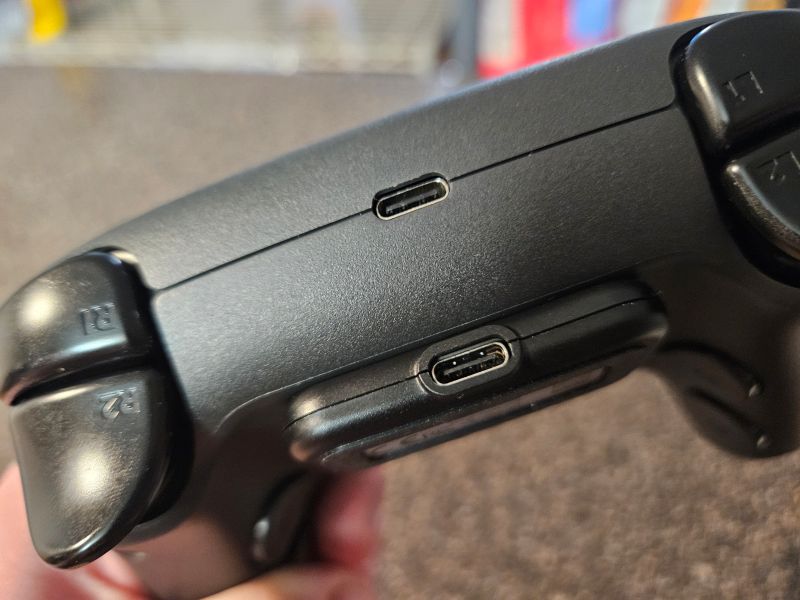
There are some limitations to this, however. If you have games on other launchers you cannot add to the Steam client, such as games from the Epic Games Store or the Xbox App, the controller cannot be used with the puck. You can connect it with a cord and use it that way, but if you want to use it wirelessly with the puck for those games, it will not work. Luckily for me, my entire library is on Steam and can even load games that use an outside launcher like Soulframe to enjoy the controller with.
The Sturdy Build Quality of the Steam Controller
I have used pretty much every modern controller out there. The PlayStation 5 DualSense (which I love to bits!), the Xbox One/Series controllers that are part and parcel of the PC community, and the Pro Controller of the Nintendo Switch 1 years ago. The Steam Controller is very sturdy and comfortable, despite not having any specific rubber grips or specific patterns on the materials.
The plastic shell of the controller is a little grainy but feels very comfortable due to the form factor. The body feels like a thinner Xbox controller with button placements similar to the DualSense. There are also “trackpads,” which are the squares underneath the joysticks.
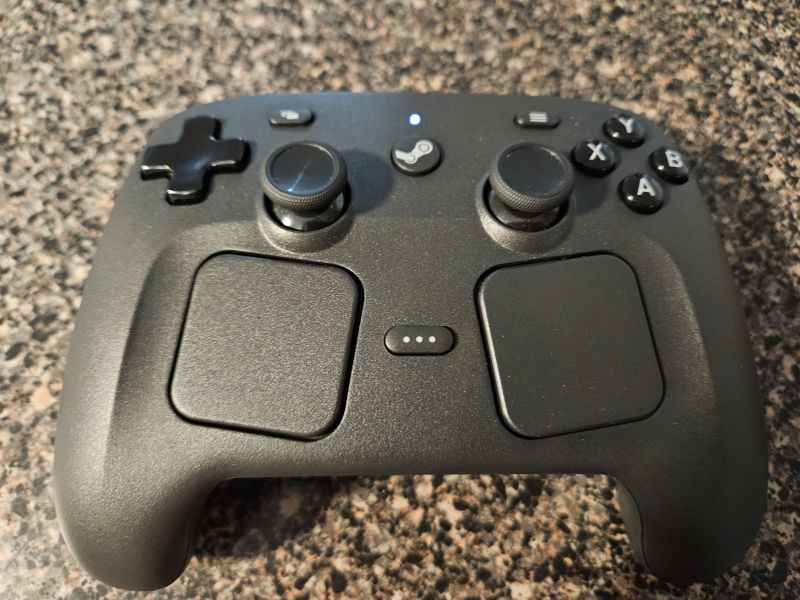
These can be assigned to be used like joysticks in games, or if you want to use the controller when just using your PC to navigate webpages or the Steam client. I haven’t used these much, but I have seen that they can be used to bypass certain control problems with games that don’t have normal controller support, like Divinity 2: The Dragon Knight Saga, among others.
Versatility and Utility
The best part of the Steam Controller is the back buttons. These back buttons, similar to Xbox Elite Controllers and other Pro controllers, can have buttons assigned to them. What makes them unique, however, is the fact that you can create a specific profile for your controller and assign it to any game you boot up in Steam’s Big Picture Mode. It’s easy to assign what purpose each button can serve and also assign it to the game when you boot it up. I even have a manual screenshot button on one of the back buttons since there isn’t a dedicated one on the controller.
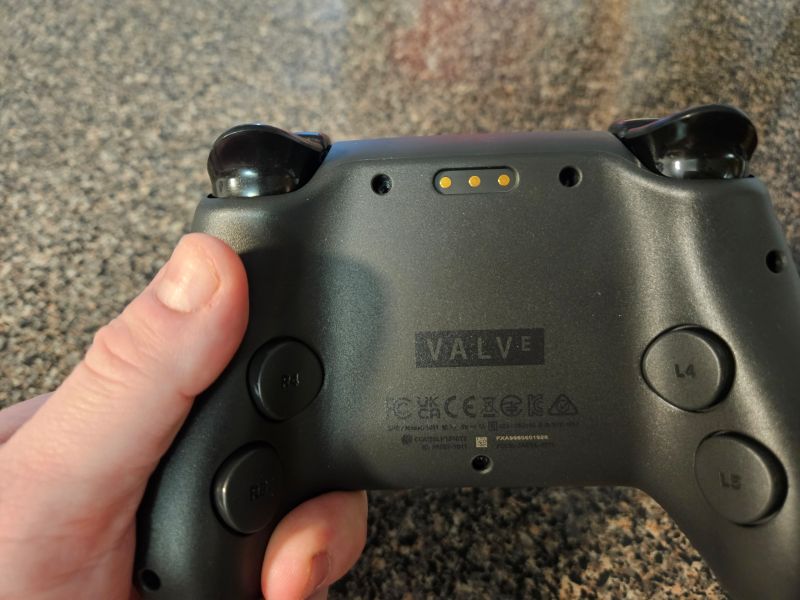
The Steam button on the controller also manually loads up Steam, then also boots up Big Picture Mode with a second click. You can also use the bottom button between the trackpads to look at notifications, your friends list, add a performance tracker on screens in games, and let you listen to music you bought through Steam while you browse. While these are normally features of Big Picture Mode, they’re made much easier to use with the way the Steam Controller is set up.
The controller itself also has a really good battery life, even with haptics and vibration enabled. You can go a full and a half with casual play before needing to charge it. Making it not only sturdy, comfy, and versatile as a controller, but a reliable one as well.
Closing Thoughts on the Steam Controller
The Steam Controller feels like the de facto controller for PC gaming, at least while you’re a Steam exclusive gamer. Obviously, I would love full support of the controller on other launchers. But as it stands, the Steam Controller more than exceeded my expectations. It’s simple to set up and easy to use. It feels very comfortable and has a range of uses while sitting at a very easy-to-digest price point. I just wish it was more readily available to buy. If you reserve one right now, Steam is saying you will need to wait until 2027. This is not a suitable timeframe to me, even if I had to wait a month and a half to get one. That being said, if you reserve one, you are in for an absolute treat.
Steam Controller
Pros
Good Price Point
Comfortable Setup
Long Battery Life
Modular Back Buttons
Big Picture Mode Compatibility
Cons
Lack of Wireless Usability Outside of Steam
